






















































In your first hour you have an inventory of every pattern in the screens you share.

Design Systems Skills
 Claude Code
 Codex
Codex Cursor
 Gemini CLI
One-time purchase. Works with Claude Code, Codex, Cursor and Gemini CLI.
Lost count of the number of button variations ? Or more banner variations than anyone can count ? Having a Figma file nobody trusts is a problem. It's time to build a system that accelerates your workflow .
Without an inventory, structure and governance, every team builds its own version. Developers guess at the specs. The system slows everyone down and then gets ignored.
These nine skills give your agent the method to inventory what exists, decide how it is organised, document it so developers can build from it, and keep it healthy once it ships.
The system is a pile of components
An inventory shows every pattern in use
Each team builds its own variant
Clear rules say how components are built and named
Documentation is out of date
Governance keeps the system current
An example conversation. Your output depends on your project.



We have six products and no shared components. Where do we start?
Using Interface inventory and Architecture logic. Starting with the screenshots you shared.
Agent is working
System starting point, draft 1
Caveats
Frequency counts come from sampled screens. Check them against the codebase.
Write the governance model.
From your Methodloop library, in the format for your tool.
Add them to your repo or your tool's skills folder.
Tell your agent which one to use. Claude Code, Codex, Cursor and Gemini CLI all work.
In your first hour you have an inventory of every pattern in the screens you share.
By the end of the week you have a proposed structure and a standardise-first list.
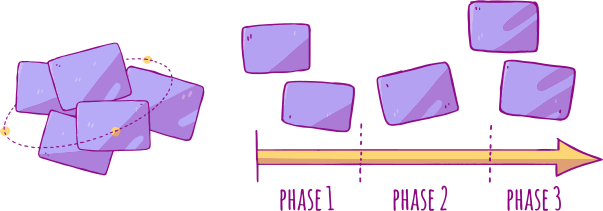
By next quarter teams build from documented components and a governance model they agreed.
Each one is a skill file you drop into your agent, so it works in Claude Code, Codex, Cursor and Gemini CLI.
Claude CodeCodexCursorGemini CLI
Catalogue every pattern in use and where it appears.

Decide how components, tokens and patterns are organised.

Define how components are built, named and varied.

Set accessibility requirements at the component level.

Agree who changes the system and how it stays healthy.

Document components so developers can build from them.

Define colour, type and spacing tokens that carry across platforms.

Produce specs developers can build from without questions.

Measure whether teams are using the system.
Each skill is a plain markdown file that tells your agent the steps, the questions to ask and the format to produce. The method is written down, so the output follows it.
Anton has spent sixteen years doing this work inside Myer, Telstra Health and Flybuys. The methods in these files are the ones used on real projects. Two skills are free, so you can judge the quality before you spend anything.
$249one time
Bought one at a time, $441.
The bundle is $249. You keep $192.
Use the skills on one real component library. If they do not save you time, ask within 14 days and I refund every dollar.
The skills set the method, the structure and the documentation. Your team or your agent builds the components to that standard.
The method applies to both. Your agent works with whatever you share, such as screenshots, tokens and code.
No. A small team gets the most from a clear structure early.
Claude Code, Codex, Cursor and Gemini CLI. Every purchase includes all four formats.
In your Methodloop library. Your account is created at checkout, or sign in if you already have one.
Yes, while the skills are on sale.
9 skills for $249, one time. Or start with the two that are free.
P.S. 9 skills for $249. Bought one at a time they come to $441.
P.S. Two skills are free. Start there and judge the work yourself.
P.S. At checkout you can add related material and save.